Present with your hands, not a clicker
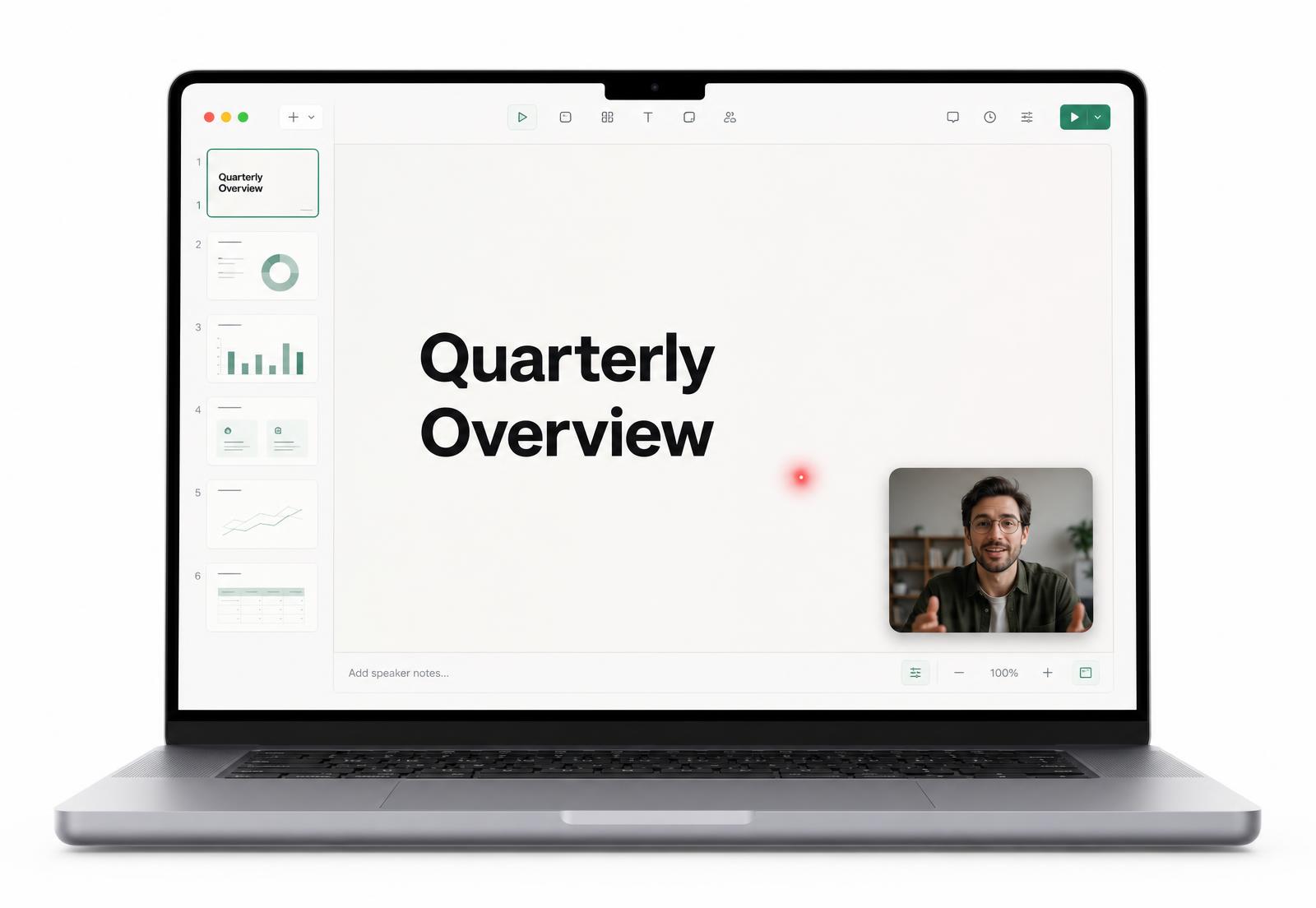
Upload your own presentation and move through it with a wave. Your slides keep their exact design, and your fingertip becomes a live laser pointer.
Free forever for hand control · Works offline after download · Laptop, tablet and phone
Three steps to a hands-free talk
No setup, no extra hardware, no learning curve. Open it, upload, and present.
Upload your presentation
Pick any presentation file. Your original slides, fonts, images and layout stay untouched.
Start the presentation
Your slides open in a clean presenter view and your front camera starts automatically.
Control with your hand
Palm forward for next, back of hand for previous, index finger for the laser pointer.
Built for people who present for real
Every detail is tuned for live rooms: fast, predictable and calm under pressure.
Your slides, exactly as designed
Original dimensions, fonts, colours and positioning are preserved. Nothing is redesigned or replaced.
Full-slide laser pointer
Your fingertip maps across the entire slide — edge to edge, top to bottom — with smooth, low-latency motion.
Distraction-free fullscreen
Fullscreen shows the slide and nothing else. No headers, no buttons, no camera box on screen.
Reliable gesture detection
Front palm, back palm and pointing are clearly separated, with no accidental double-jumps.
Laptop, tablet and phone
A responsive presenter view that adapts to any screen, including Android and iOS browsers.
Camera stays on your device
Hand detection runs locally on your device, so your camera feed never leaves it.
Stay with your audience, not with your laptop
Walking back to press a key breaks the moment. A single hand movement keeps you where you belong — in front of the room, facing the people you are speaking to.
- Works with the presentation you already made
- No clicker, no cables, no companion app
- Laser pointer that reaches every corner of the slide
- Camera keeps working while you are in fullscreen
- Clear guidance when a camera or permission fails
- Free tier that is genuinely enough to present with
Live gesture feed
A quick look at what the presenter view shows
Smooth by design
Motion is stabilised so the laser glides instead of shaking, without adding noticeable delay.
Three gestures. That's the whole interface.
Hold your hand roughly an arm's length from the camera in reasonable light and you're set.
Open front palm
Next slideShow your palm to the camera with fingers spread. To advance again, close your hand into a fist, then open your palm again.
Back of hand
Previous slideTurn your hand around so the back faces the camera. To go back again, close your hand into a fist, then show the back of your hand again.
Raised index finger
Laser pointerPoint with one finger and the laser follows your fingertip across the whole slide.
Hand control is free. Always.
Upgrade only when you want deeper customisation, history, branding or team management.
Master Hand
$0Free
Hands-only presentation control.
Start presenting- Hand gesture slide navigation
- Front palm → Next Slide
- Back of hand → Previous Slide
- Close hand → reset
- Index finger → Laser Pointer
- Full-slide laser movement
- Camera hand control
- Exact PPT/PPTX presentation
- Fullscreen presentation
- Browser-based usage
Master Voice
MOST POPULAR$0/ month
Unlimited
Hands + Voice presentation control.
VOICE CONTROL
“8”
Instantly jump to Slide 8
Green → voice detected
Yellow → listening / ready
Red → mic off / unavailable / error
- Everything in Master Hand
- Front palm → Next
- Back of hand → Previous
- Close hand → Reset
- Index finger → Laser Pointer
- Full-slide laser movement
- “next” → Next slide
- “previous” → Previous slide
- “8” → Slide 8 · “15” → Slide 15
- Spoken number words → corresponding slide
- Continuous browser voice recognition
- Microphone status indicator
- Works together with hand control
Master Write
$0/ month
Unlimited
Hands + Voice + Writing presentation control.
MASTER WRITE CONTROL
Hands - slide navigation
Voice - next / previous / direct slide number
Writing Mode - index finger writes on the slide
Index + middle opens the writing toolbar
5 writing colors, Manual Eraser, Erase All, Undo, Redo, Minus
Toolbar stays visible while writing; MINUS hides it
No Laser Pointer in Master Write
- Hands → slide navigation
- Voice → next / previous / direct slide number
- Raise INDEX + MIDDLE to open toolbar
- 5 colors, Manual Eraser, Erase All, Undo, Redo, Minus
- Index fingertip selects color by dwelling
- Toolbar stays visible while writing
- Move INDEX FINGER to write directly under tip
- Click MINUS to minimize toolbar while writing
- Raise INDEX + MIDDLE again to reopen toolbar
- Manual Eraser erases selected marks
- Erase All clears current slide only
- Undo and Redo per slide
- No Laser Pointer in Master Write
- Original PPT/PPTX is never modified
Master AI
LIGHTNING AI$0/ month
Unlimited
Hands + Camera + Laser + Voice + Writing + AI — the complete presenter experience.
LIGHTNING AI
Ask about your current slide:
"What are the key points here?"
"Summarise this slide for me."
"How do I pronounce this word?"
"Someone asked X — help me answer."
AI reads your actual slide content — no generic answers.
- Everything in Master Write
- LIGHTNING AI panel in the control bar
- AI reads your actual slide text — no fake answers
- Explain Slide — understanding on demand
- Summarise Slide — 2-3 sentence summary
- Key Points — bullet-point extraction
- Presenter Notes — what to say, ready instantly
- Speaker Assistance — "What should I say?"
- Real-World Example generation
- Audience Q&A preparation
- Presentation coaching tips
- 8 Quick-action buttons — one tap to ask
- Free-text input for any question
- Voice: "Lightning AI, explain this slide."
- AI runs async — hand, voice, write unaffected
- Original PPT/PPTX is never modified
Business
Customper team
Complete presentation control for teams and organisations.
Contact Sales- Team accounts
- Admin dashboard
- Shared presentations
- Usage analytics
- Organisation branding
- Higher limits
- Priority support
- Enterprise security options
- Team management
Questions, answered
Your next presentation, controlled by a wave
Upload the presentation you already have and step away from the keyboard.